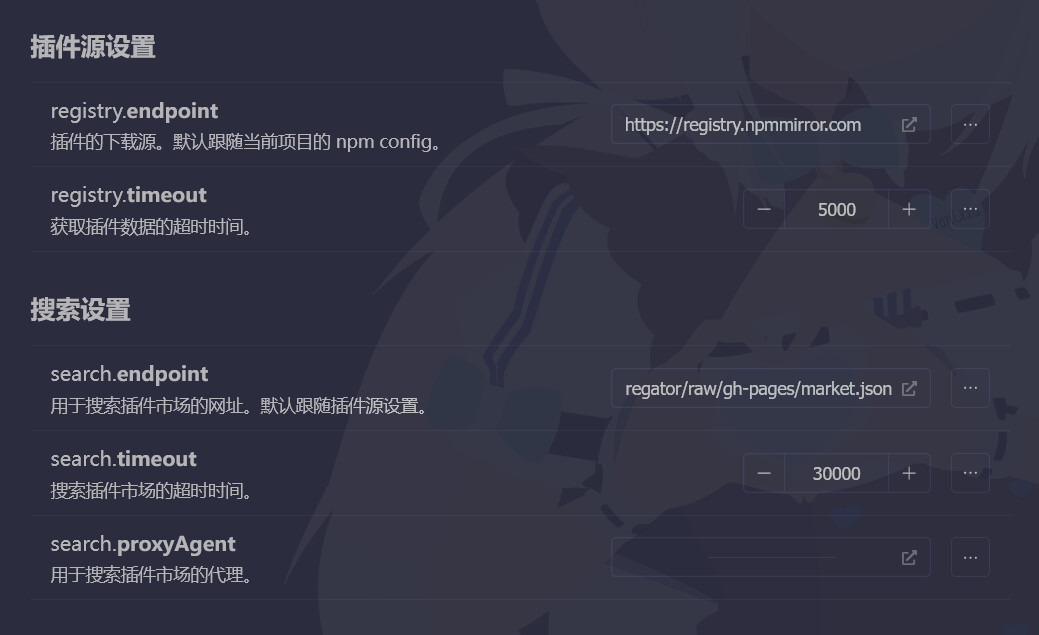
解决方法二(图解步骤) — 更换镜像
打开插件配置中的 market 插件配置,将其中的 search.endpoint 改成以下任意一个链接即可:
(注意不是registry.endpoint)
任意复制下面 其一 即可!
https://gitee.com/shangxueink/koishi-registry-aggregator/raw/gh-pages/market.json
https://registry.koishi.chat/index.json
https://koishi-registry.yumetsuki.moe/index.json

如上图步骤操作,随后 重启koishi 以强制插件市场刷新。
如果仍然遇到无法访问的问题,请尝试更换上述其他的 插件市场的镜像源
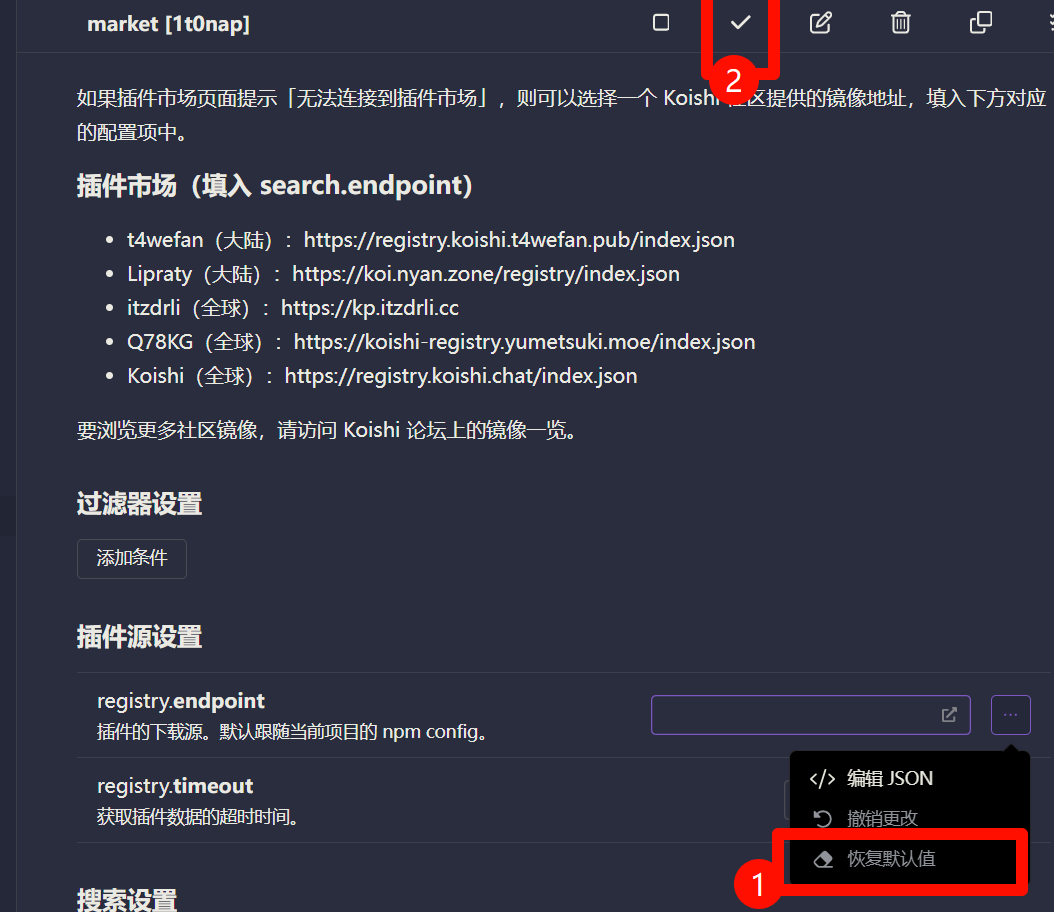
保持默认值
如果你不小心修改错了registry.endpoint,请恢复默认配置项,
然后重载插件,重新按照上文配置
另外,关于代理配置项:
建议不要使用代理访问插件市场镜像,最好是用访问性好的镜像。
请保持此项为默认值!()
完整配置项示例
https://registry.npmmirror.com
https://gitee.com/shangxueink/koishi-registry-aggregator/raw/gh-pages/market.json