import { Context, Schema } from 'koishi'

export const name = 'get-qq-bot-transfer-link'

export interface Config { }

export const Config: Schema<Config> = Schema.object({})

export function apply(ctx: Context, config: Config) {
  // write your plugin here
  // 请使用napcat调用这个接口, adapter-onebot
  ctx.command('napcat-getuser [userId:string]')
    .action(async ({ session }, userId) => {
      // const user = await session.bot.getUser(targetUserId, session.channelId);
      const user = await session?.bot.internal._request('get_stranger_info', { user_id: userId });
      await session?.send(`用户信息:${JSON.stringify(user)}`)
    })

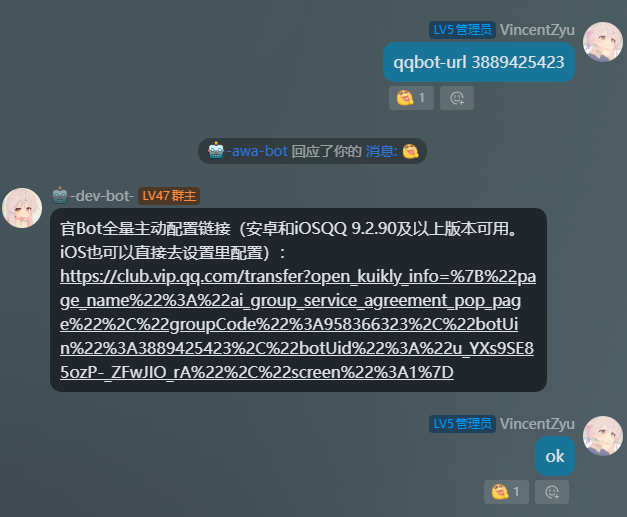
  ctx.command('qqbot-url <userId:string>')
    //userId是qq官bot的qq号
    .action(async ({ session }, userId) => {
      const groupCode = session?.guildId;
      const botInfo = await session?.bot.internal._request('get_stranger_info', { user_id: userId });
      const botUid = botInfo?.data?.uid || '';

      const jsonObj = {
        page_name: "ai_group_service_agreement_pop_page",
        groupCode: Number(groupCode),
        botUin: Number(userId),
        botUid: botUid,
        screen: 1,
      };

      const encoded = encodeURIComponent(JSON.stringify(jsonObj));
      const url = `https://club.vip.qq.com/transfer?open_kuikly_info=${encoded}`;

      await session?.send(`官Bot全量主动配置链接(安卓和iOSQQ 9.2.90及以上版本可用。iOS也可以直接去设置里配置):\n${url}`);
    })

}
2 个赞

koishi-plugin-get-qq-bot-transfer-link
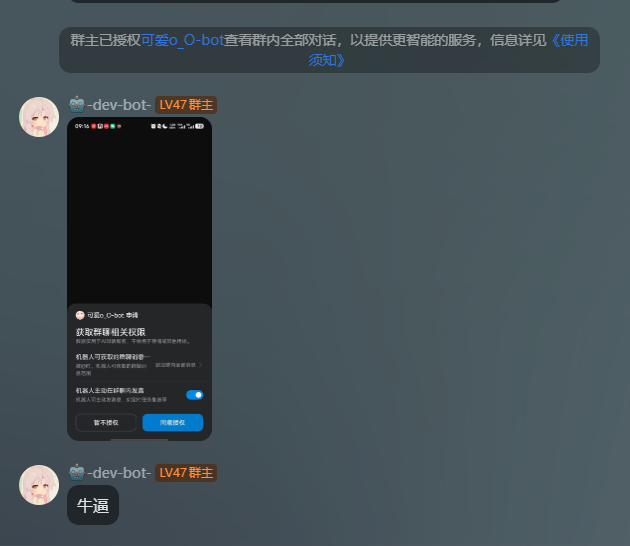
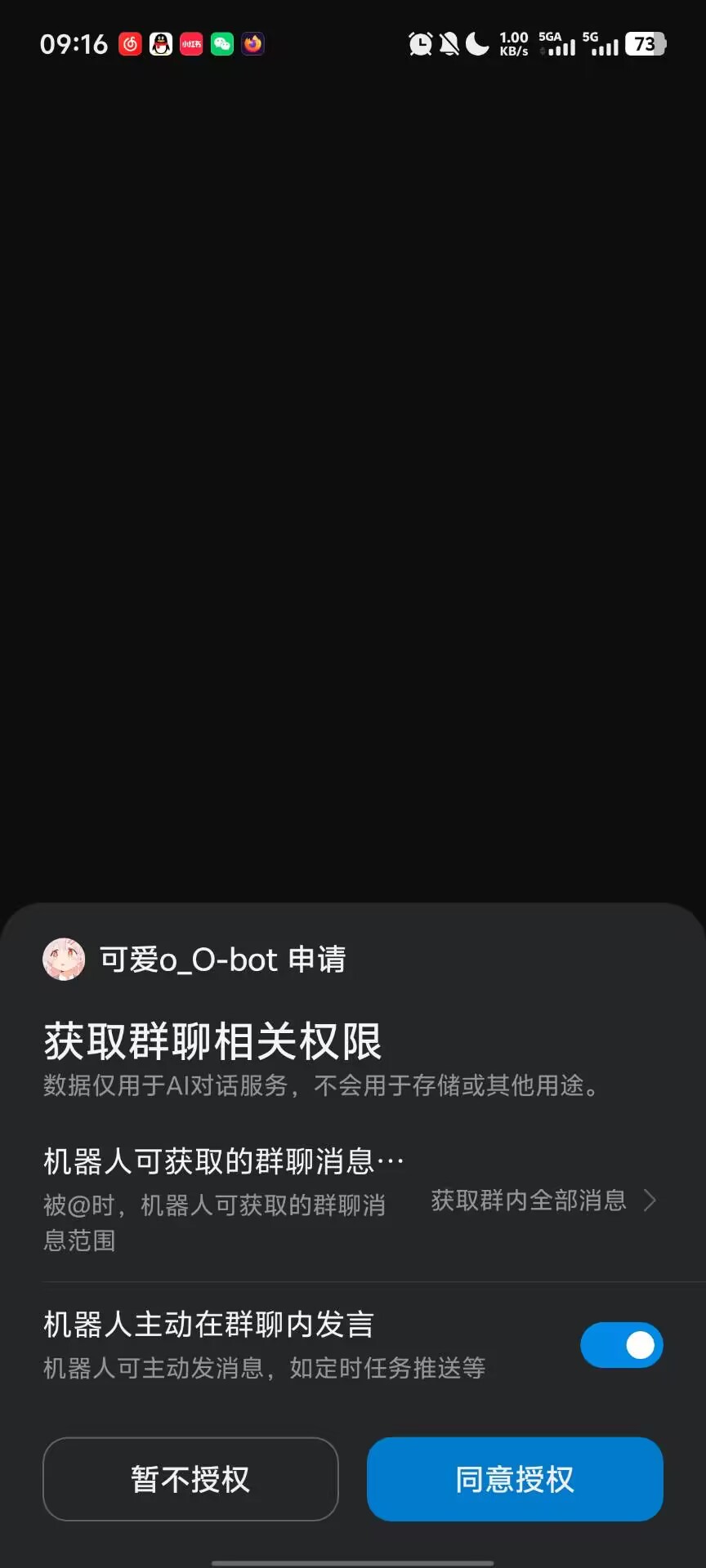
利用NapCat获取官bot的uid,然后获取本群的 开放官bot的全量和主动的配置链接,然后群主用手机qq打开就可以配置了






💬 插件使用问题 / 🐛 Bug反馈 / 👨💻 插件开发交流,欢迎加入QQ群:259248174 🎉(这个群G了
💬 插件使用问题 / 🐛 Bug反馈 / 👨💻 插件开发交流,欢迎加入QQ群:1085190201 🎉
💡 在群里直接艾特我,回复的更快哦~ ✨
 Markdown 发送说明
本插件支持在 QQ 官方平台以 Markdown + 按钮 格式发送消息,自动检测 adapter 类型选择发送路径。
两种场景
| 场景 | 发送内容 |
|---|---|
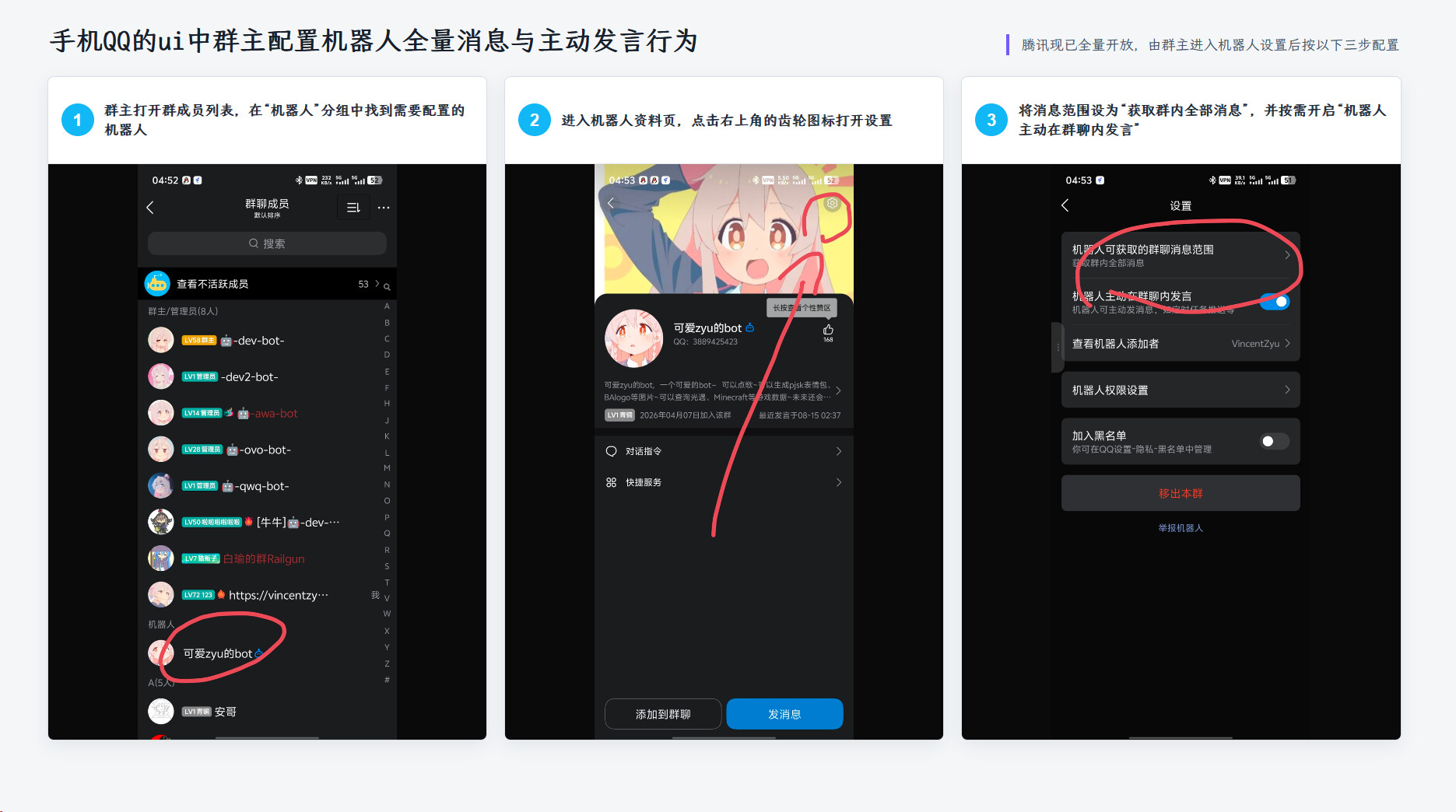
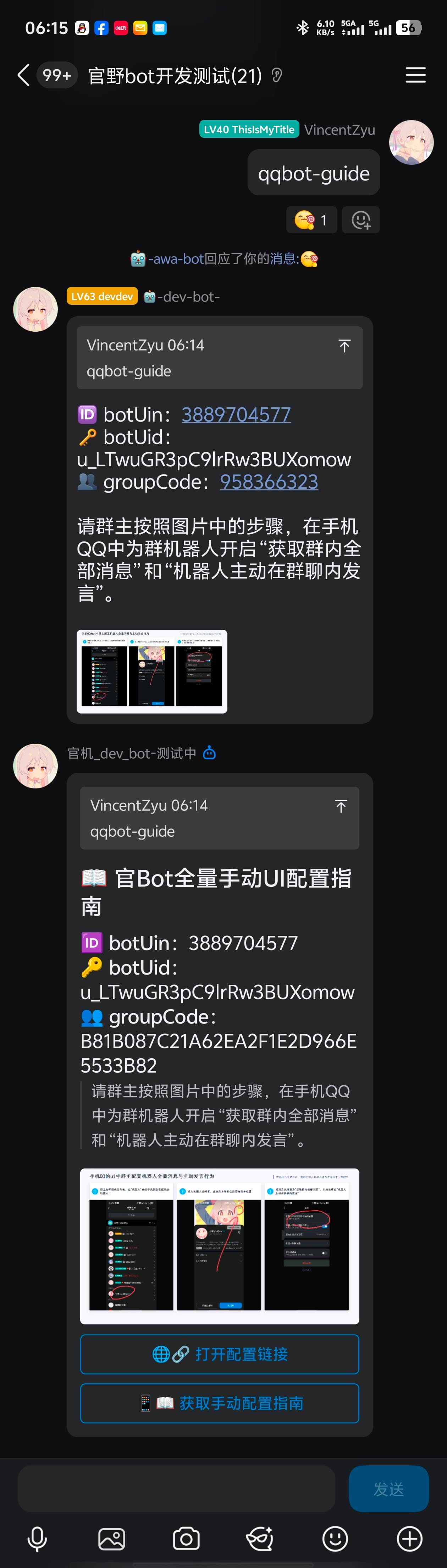
| 传了群号 | Markdown 富文本(botUin/botUid/groupCode 信息 + 操作提示图片)+ 「打开配置链接」跳转按钮 |
| 缺群号 | 根据 missingGroupCodeSendMode 配置,支持三种模式:text(纯文本)/ markdown(纯 Markdown)/ markdown_button(Markdown + 自定义按钮) |
Adapter 兼容
-
Crack adapter(
koishi-plugin-adapter-qq-crack)— 走h('qq:rawmarkdown')元素层,完整支持自定义 Markdown 内容 -
官方 adapter(
@koishijs/plugin-adapter-qq)— 走 internal API + 手动被动回复上下文(msg_id/msg_seq),也支持 Markdown + 按钮
 配置项
配置项
| 配置项 | 类型 | 默认值 | 说明 |
|---|---|---|---|
useMarkdown |
boolean | true |
QQ平台使用 Markdown 富文本发送 |
addJumpButton |
boolean | true |
消息底部添加「打开配置链接」跳转按钮 |
defaultBotUin |
string | "" |
默认官Bot QQ号(option 兜底) |
defaultBotUid |
string | "" |
默认官Bot UID(option 兜底) |
defaultGroupCode |
string | "" |
默认群号(option 兜底,再兜底到当前群) |
requireGroupCode |
boolean | true |
强制要求通过 arg 或 --groupcode 传入群号 |
showBotInfo |
boolean | false |
消息中显示 botUin / botUid / groupCode |
qqMarkdownBotInfoStyle |
text/bold/inline/table |
bold |
Bot 信息在 Markdown 中的展示样式 |
showImage |
boolean | true |
链接/按钮上方附带操作提示图片 |
imageUrl |
string | gitee raw 直链 | 操作提示图片 URL |
imageWidth |
string | 1080px |
Markdown 图片宽度 |
imageHeight |
string | 888px |
Markdown 图片高度 |
missingGroupCodeSendMode |
text/markdown/markdown_button |
markdown |
缺群号时 QQ 平台的发送模式 |
missingGroupCodeMessage |
string | 见配置页 | 缺群号时的纯文本提示 |
missingGroupCodeMarkdownContent |
string | 见配置页 | 缺群号时的 Markdown 内容 |
missingGroupCodeKeyboardJson |
string | 见配置页 | 缺群号时的自定义按钮 JSON |
versionHint |
string | 安卓和iOS QQ 9.2.90及以上版本可用 |
版本兼容提示文案 |
verboseConsoleLog |
boolean | false |
控制台输出每次发送的 payload(调试用) |
 指令
指令
napcat-getuser [userId]
通过 napcat onebot 接口查询用户信息。仅在 onebot 平台可用。
qqbot-url
生成官Bot全量主动配置链接。
选项:
| 选项 | 缩写 | 说明 |
|---|---|---|
--botuin |
-u |
官Bot的QQ号 |
--botuid |
-i |
官Bot的UID |
--groupcode |
-g |
群号 |
参数优先级: 指令 arg > --option 传参 > 配置项兜底值 > 当前会话群号 > 报错提示
 缺群号按钮 JSON 示例
示例1 - 快速填充指令
{"rows":[{"buttons":[{"id":"cmd_1","render_data":{"label":"🔢重新输入群号(点我快速填入指令)","style":1},"action":{"type":2,"permission":{"type":2},"data":"qqbot-url -g ","enter":false,"reply":false,"unsupport_tips":"请更新QQ版本后使用"}}]}]}
示例2 - 跳转网页链接
{"rows":[{"buttons":[{"id":"help_1","render_data":{"label":"❓查看帮助(url编码规则)","style":1},"action":{"type":0,"permission":{"type":2},"data":"https://forum.koishi.xyz/t/topic/12558","unsupport_tips":"请更新QQ版本后使用"}}]}]}
示例3 - 两按钮一起
{"rows":[{"buttons":[{"id":"cmd_2","render_data":{"label":"🔢重新输入群号","style":1},"action":{"type":2,"permission":{"type":2},"data":"qqbot-url -g ","enter":false,"reply":false,"unsupport_tips":"请更新QQ版本后使用"}},{"id":"help_2","render_data":{"label":"❓查看帮助","style":0},"action":{"type":0,"permission":{"type":2},"data":"https://forum.koishi.xyz/t/topic/12558","unsupport_tips":"请更新QQ版本后使用"}}]}]}
示例4 - 自定义操作按钮(不带 id)
{"rows":[{"buttons":[{"render_data":{"label":"📝再试一次","style":1},"action":{"type":2,"permission":{"type":2},"data":"/免艾特申请","enter":true}},{"render_data":{"label":"🎈玩玩其他的","style":1},"action":{"type":2,"permission":{"type":2},"data":"/help","enter":true}}]}]}
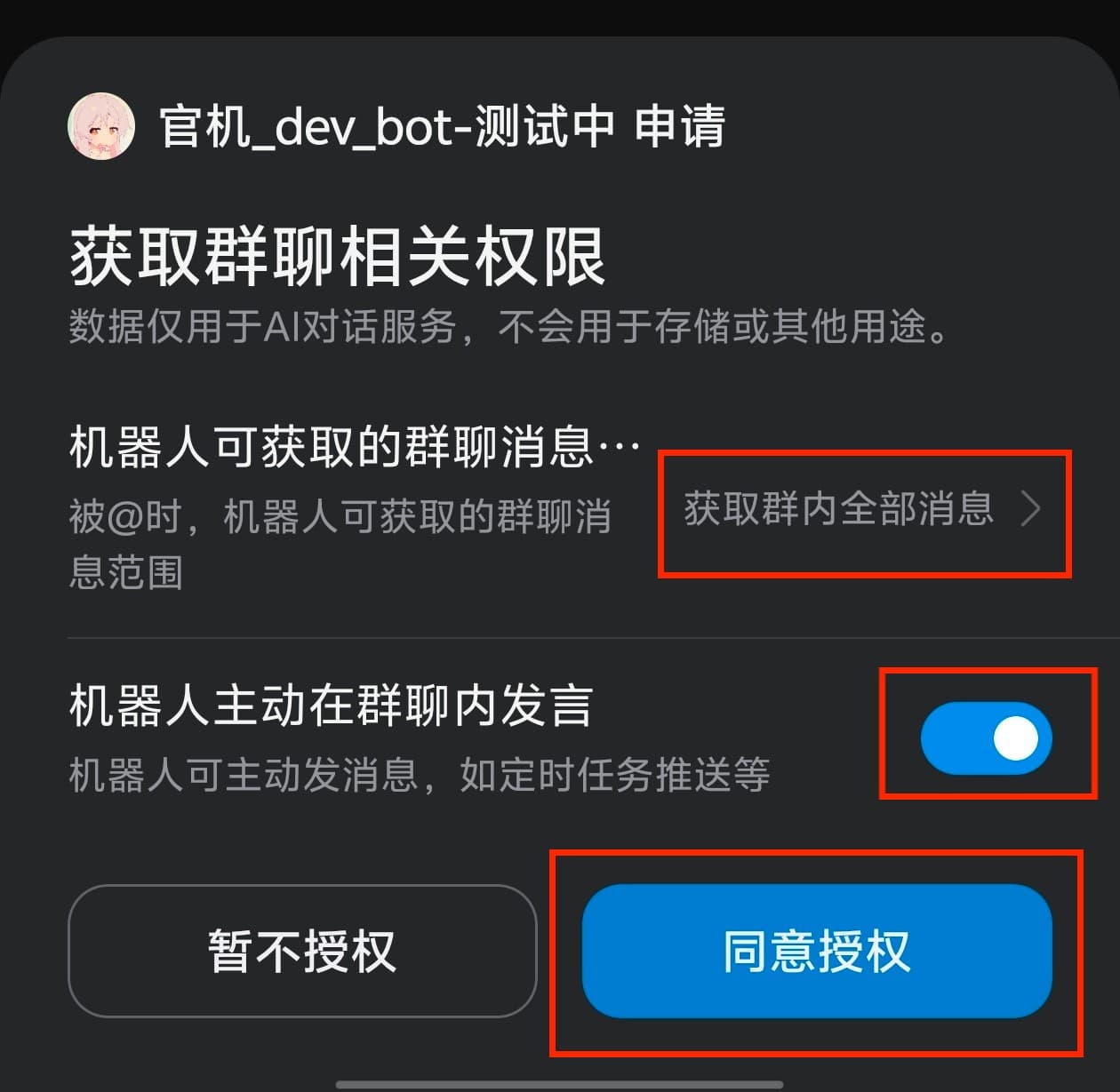
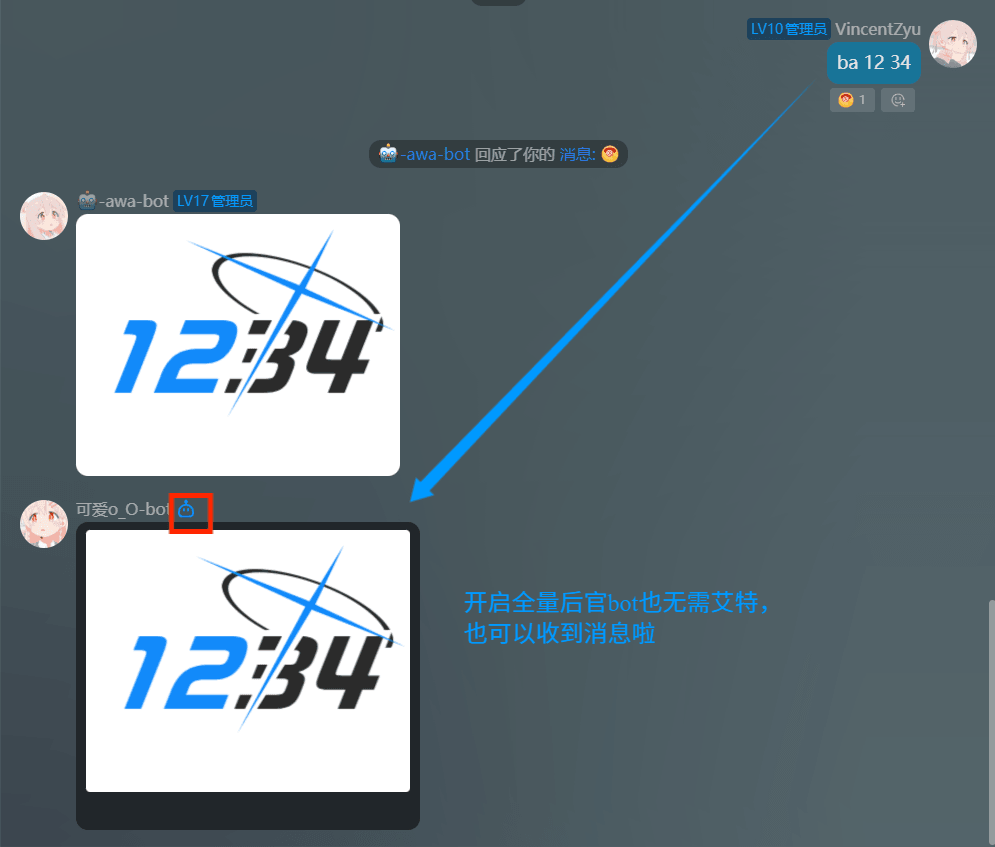
 效果
效果

2 个赞
更新一下最新的readme markdown喵
1 个赞
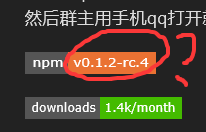
论坛markdown里面渲染的shield io badge不知道为什么没更新,
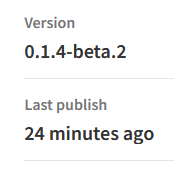
目前npm版本是: 0.1.4-beta.2
有问题记得及时反馈喵~
1 个赞
里面那个长的效果图 1.png 可能看的比较费劲,可以去github 看: GitHub - VincentZyuApps/koishi-plugin-get-qq-bot-transfer-link: 利用NapCat获取官bot的uid,然后获取本群的 开放官bot的全量和主动的配置链接,然后群主用手机qq打开就可以配置了 · GitHub
1 个赞
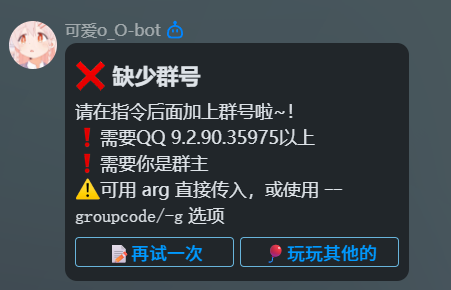
在非沙盒群 测试8种情况
koishi自带的官方qq适配器adapter-qq,adapter-qq-crack适配器,
没开全量,开了全量,
没加群号,加了群号
2 x 2 x 2 = 8
触发8次指令,应该是都能用了
都能像这样返回我预期的格式:
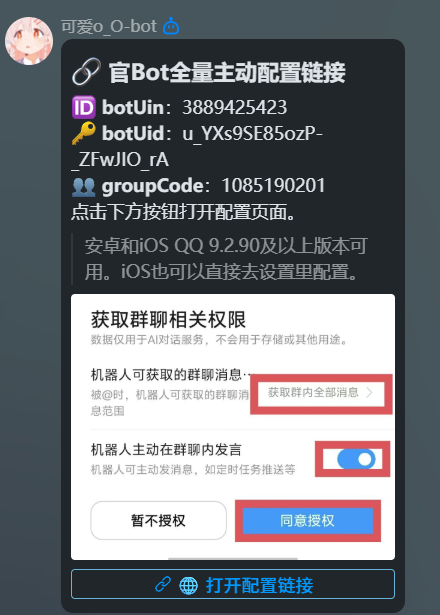
有问题记得及时反馈哈~ (官bot的东西我也不是很熟悉,还在摸索,有问题记得来交流 反馈捏
可以加我qq,回的更快捏
1 个赞
大佬,这个方法只能自己是群主点击链接才有效吗
2 个赞
是的,因为只有群主能设置本群bot的 全量 和 主动
1 个赞