更多指令?
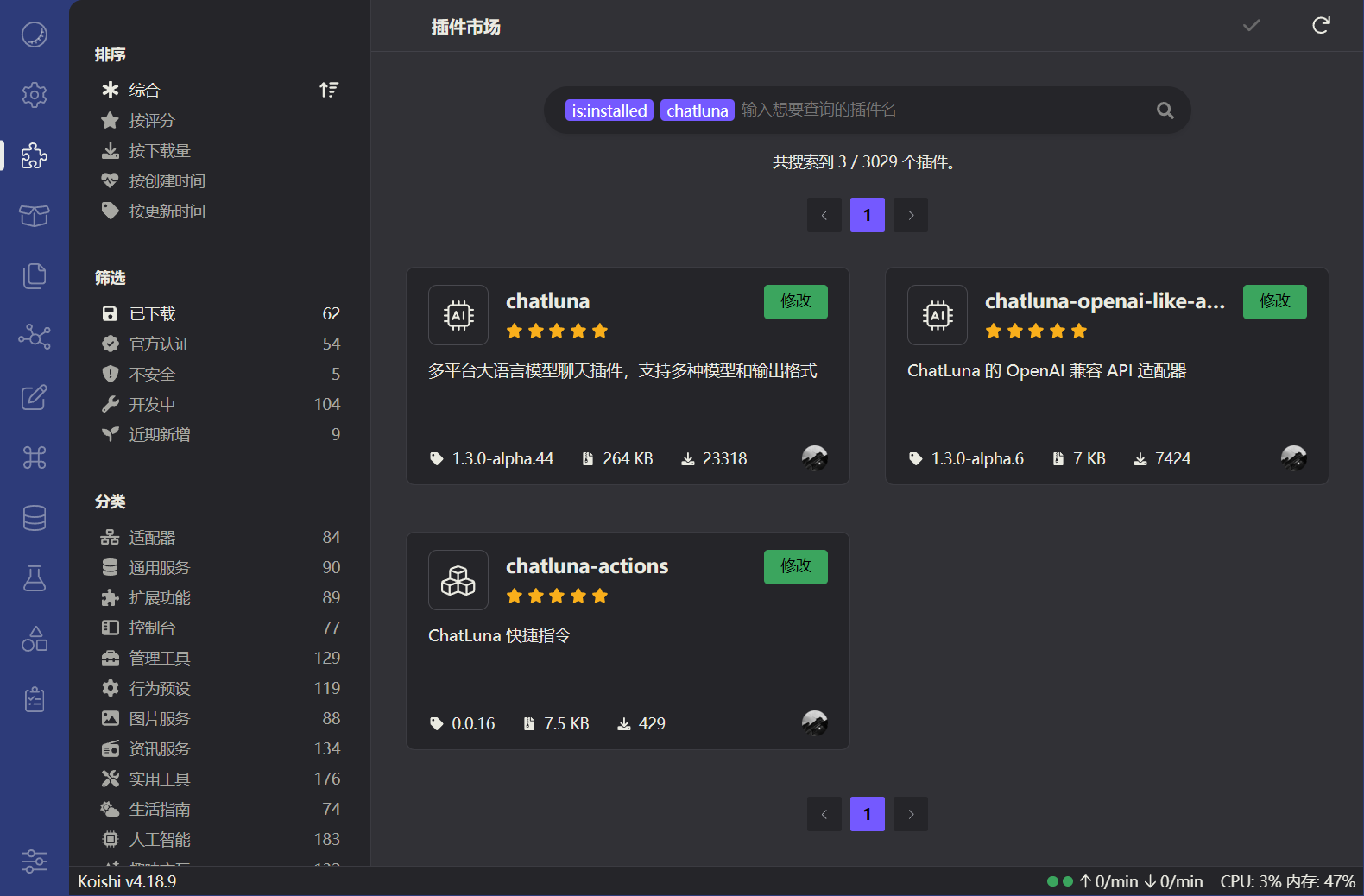
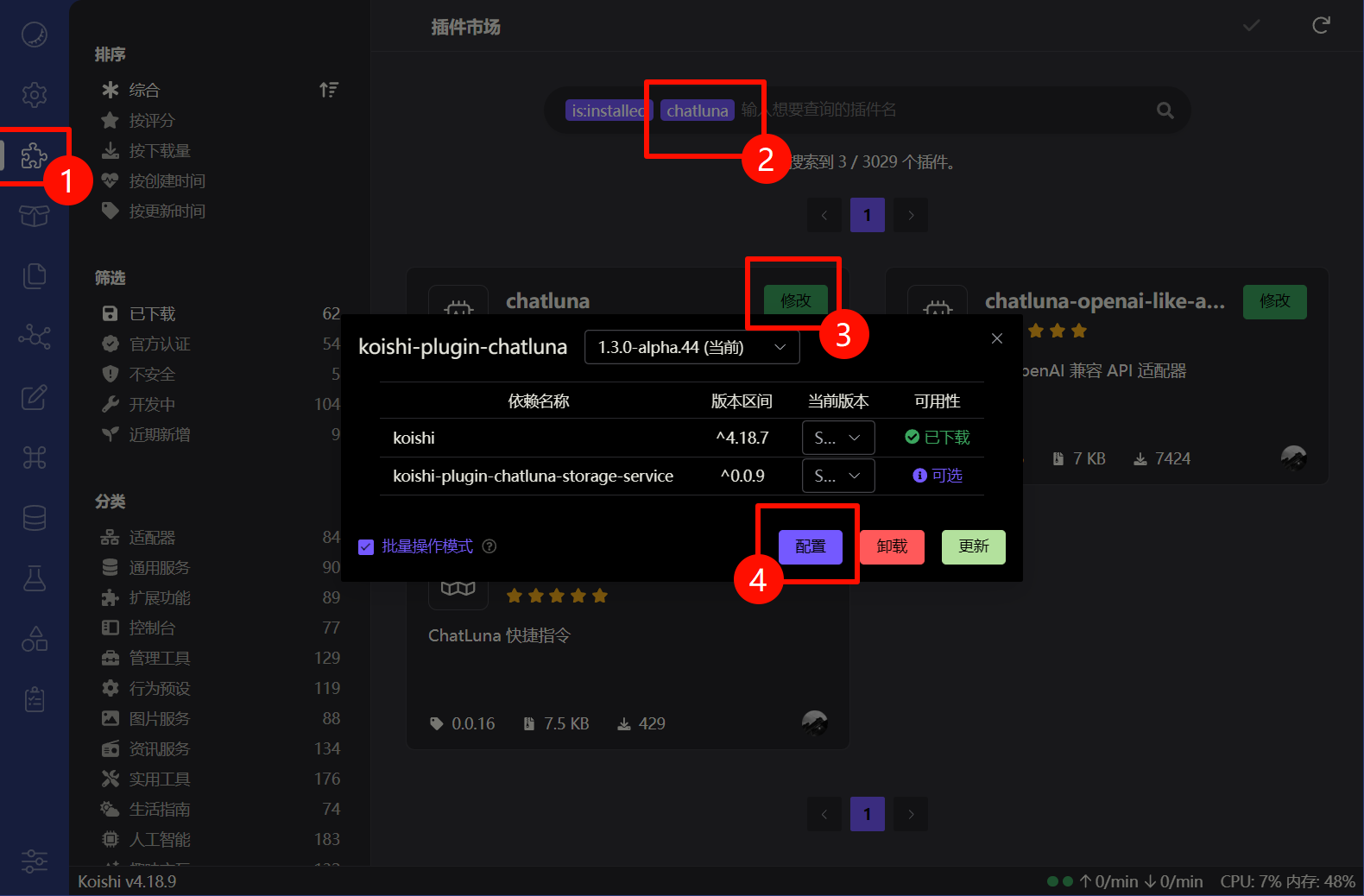
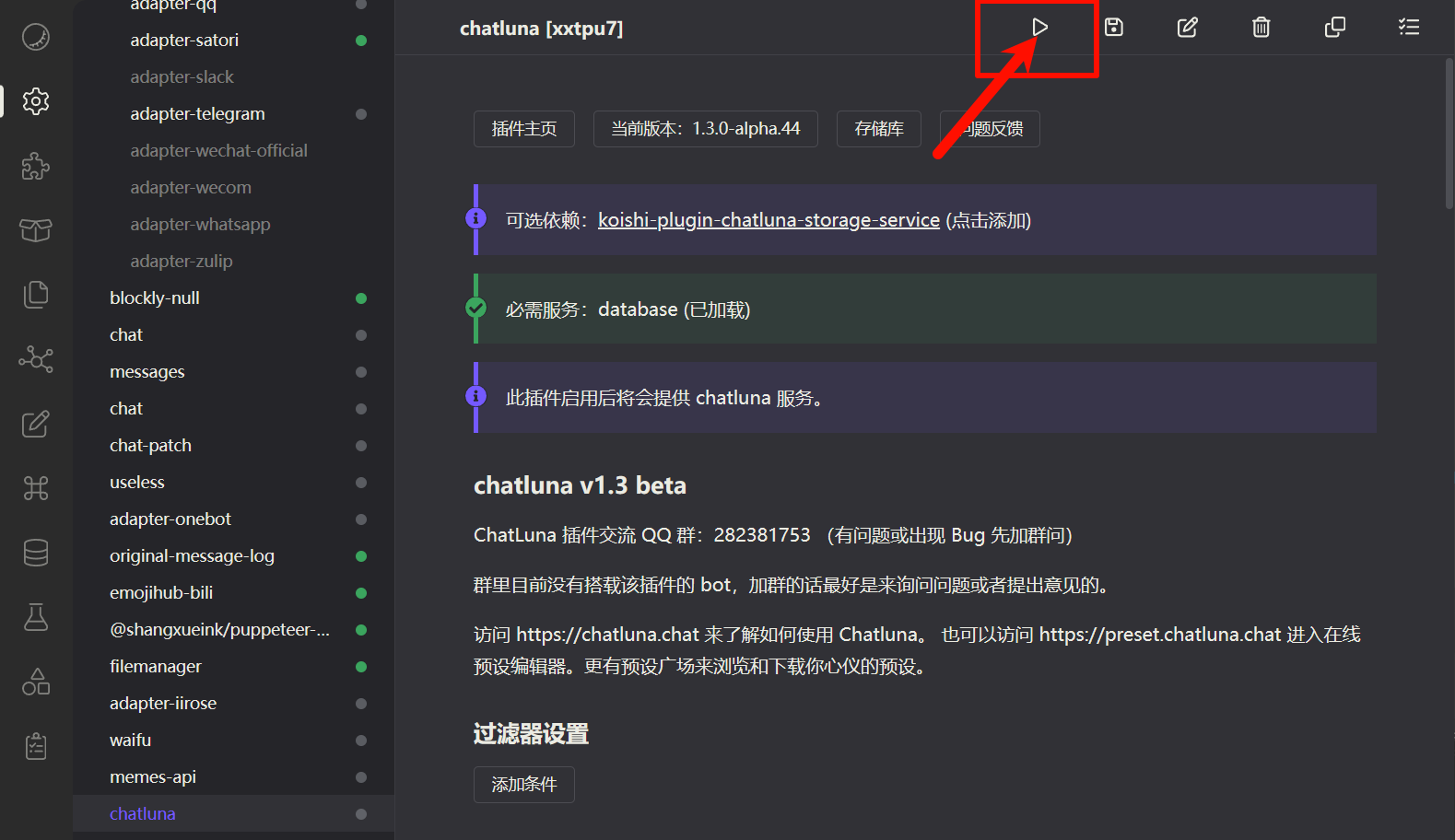
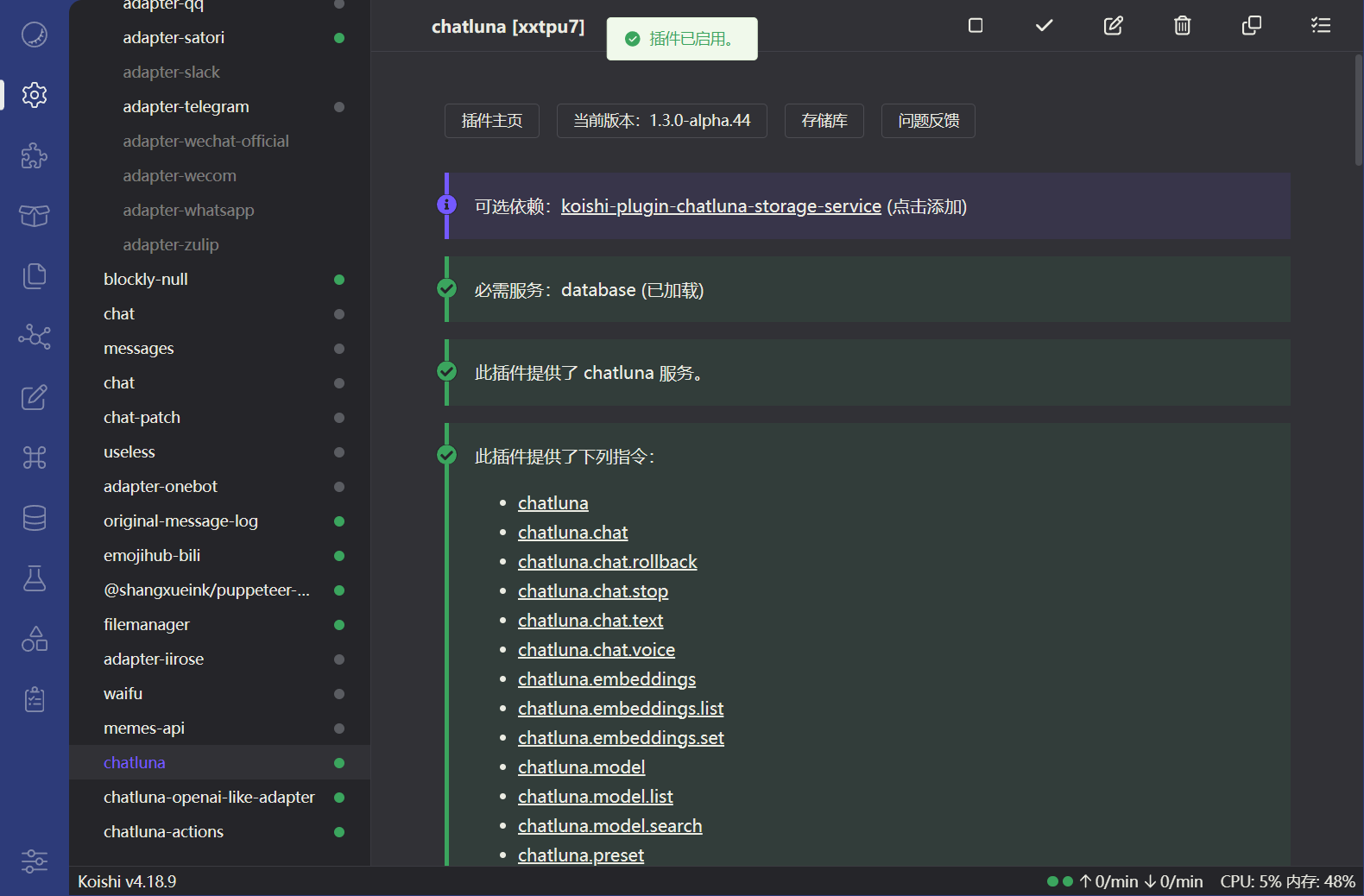
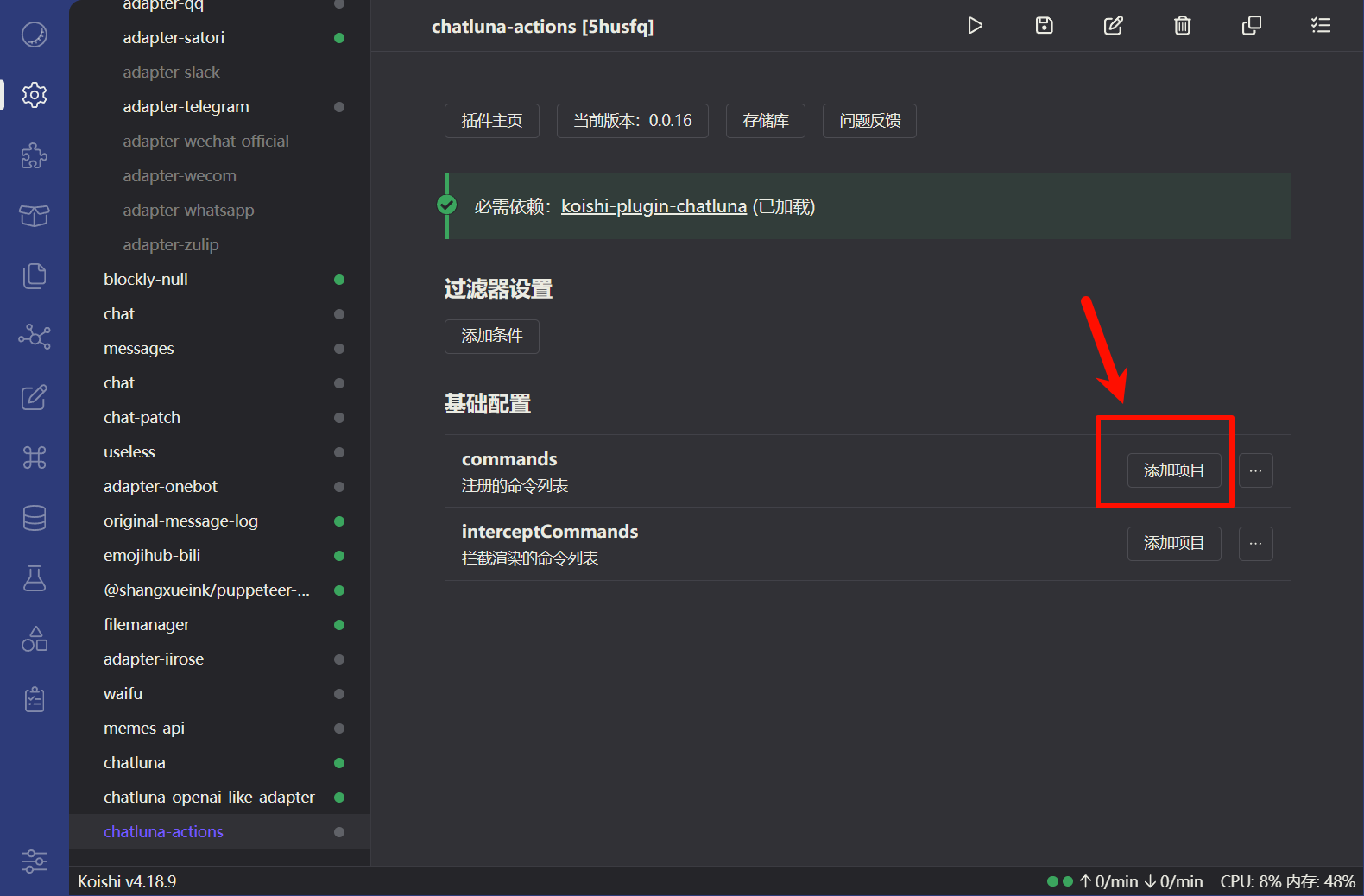
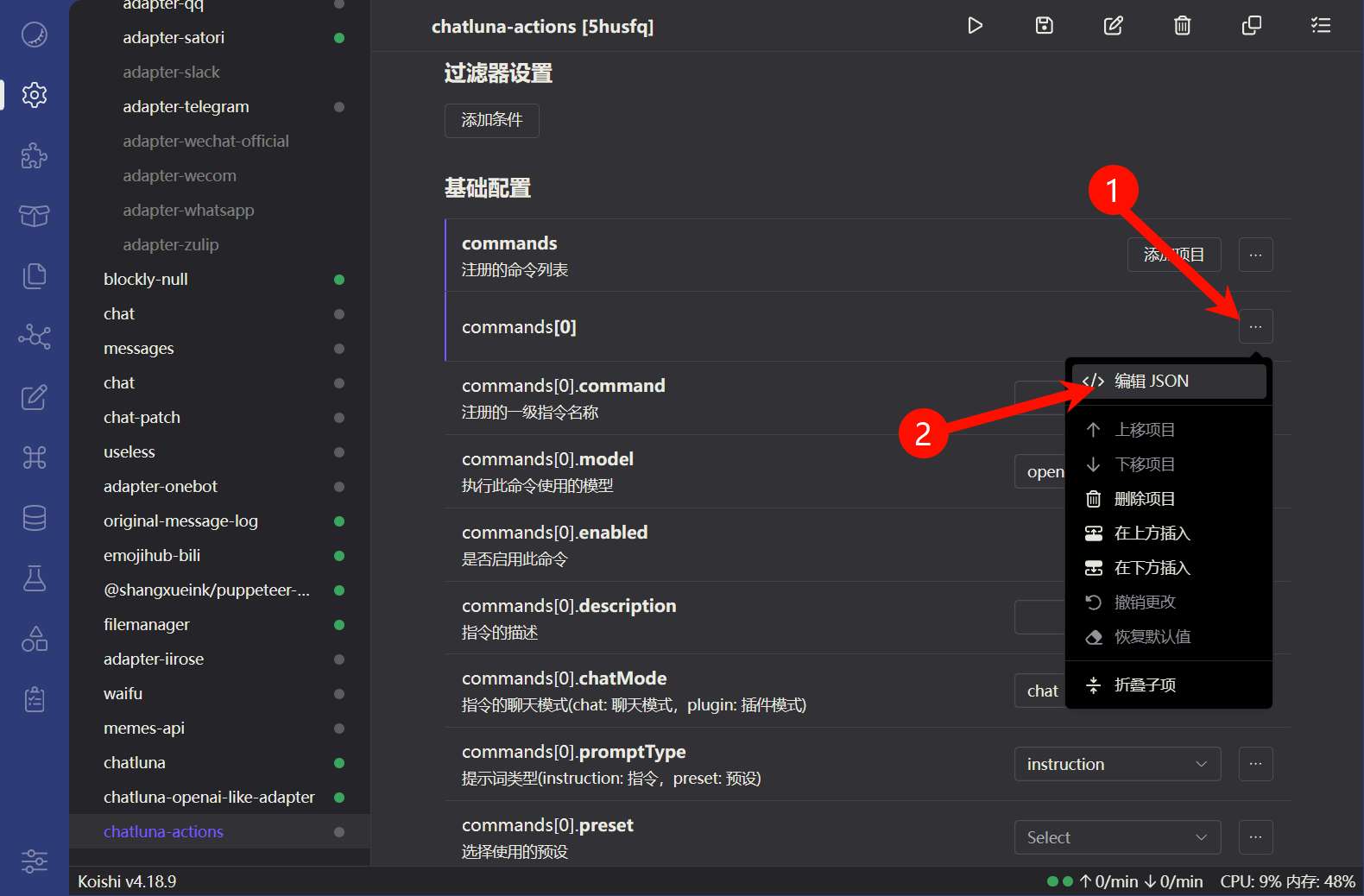
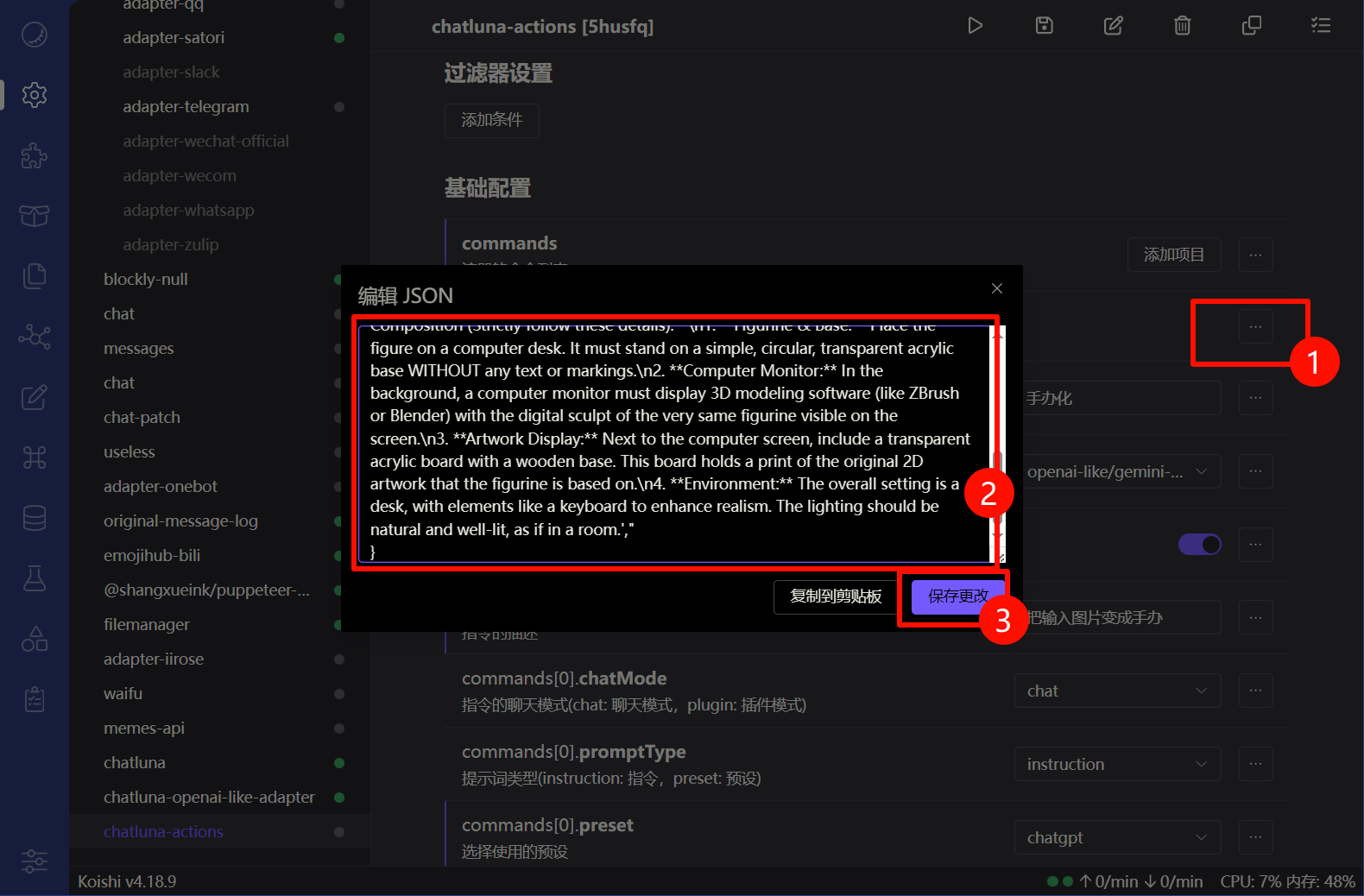
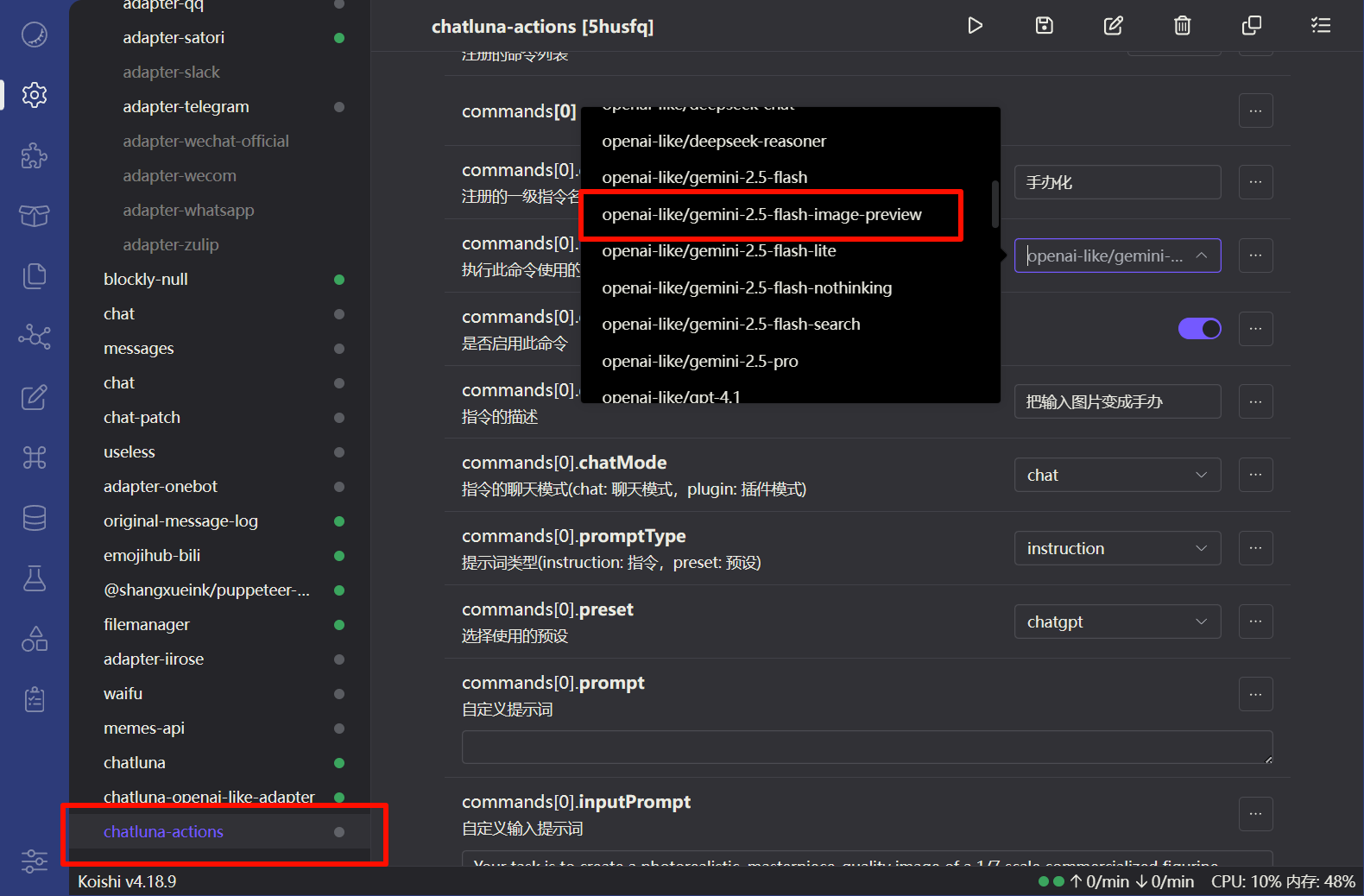
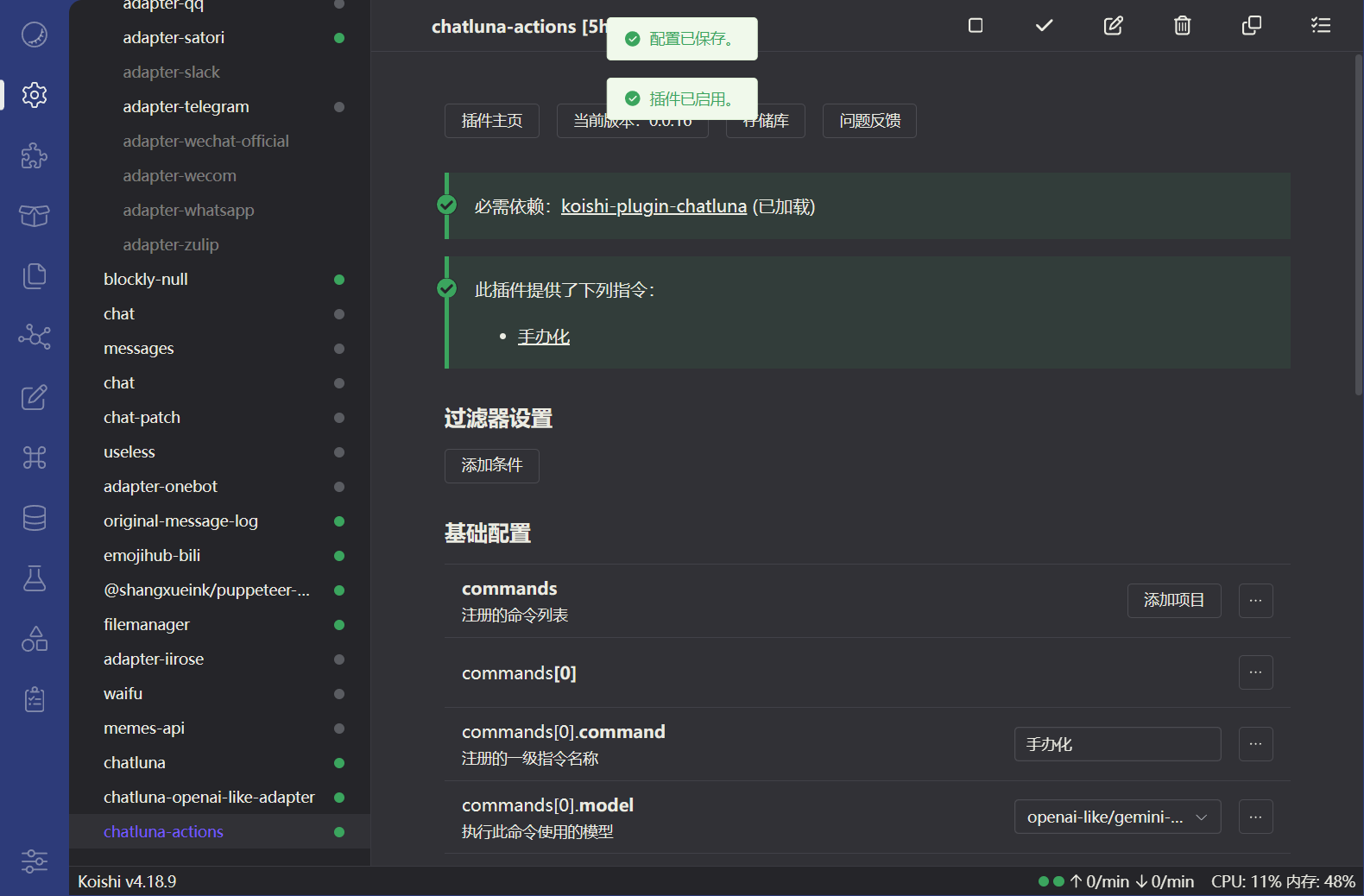
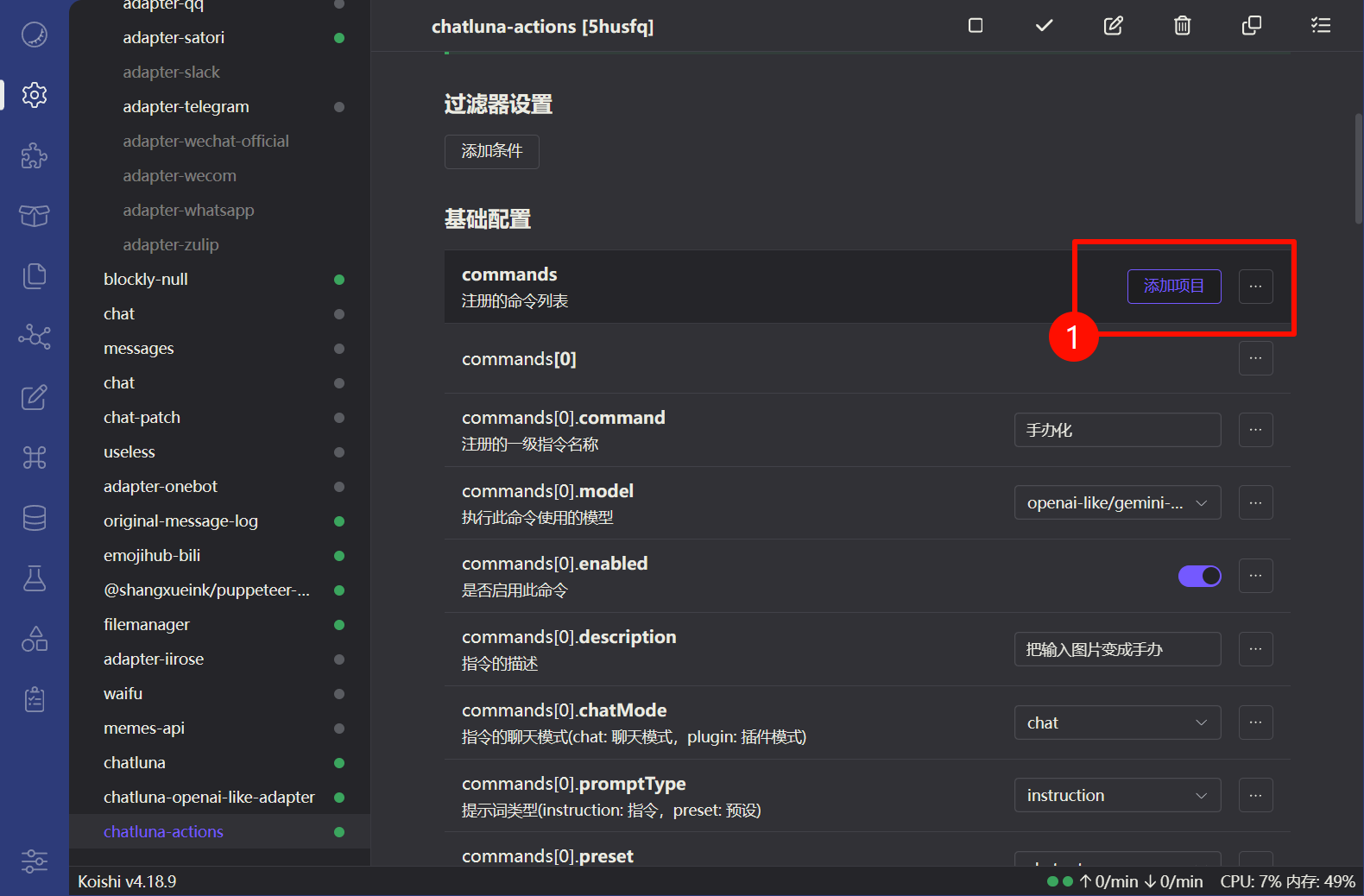
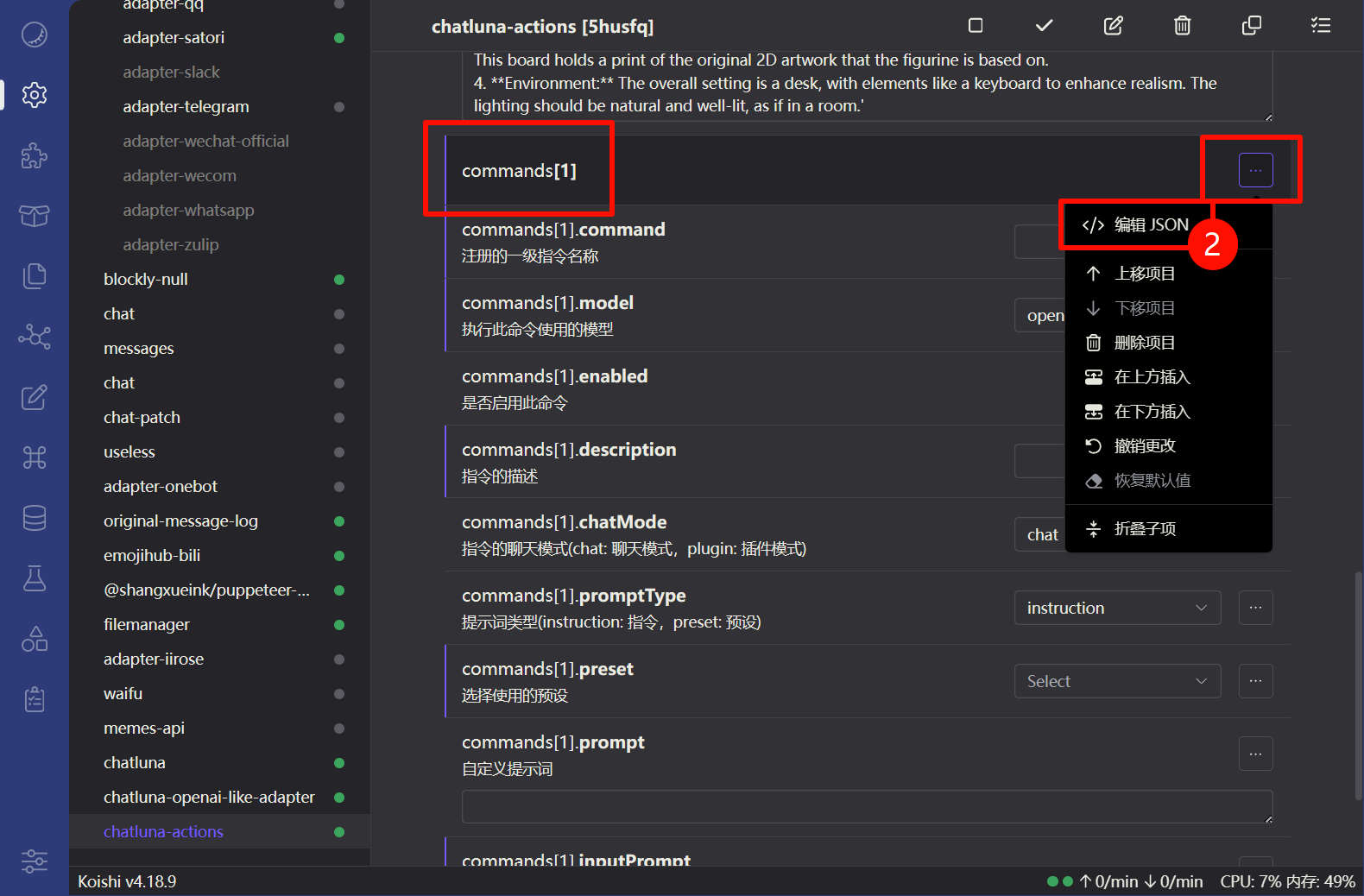
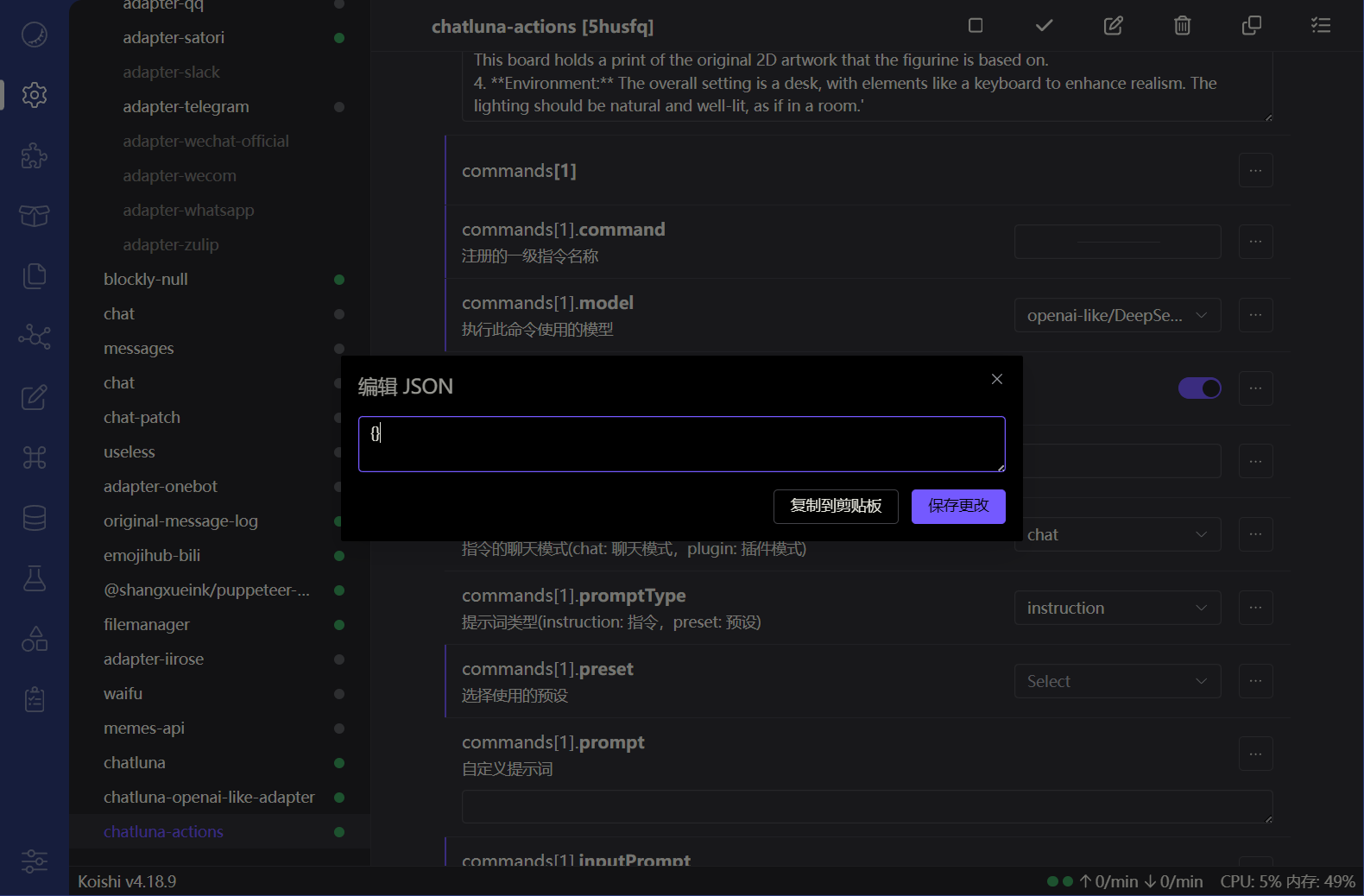
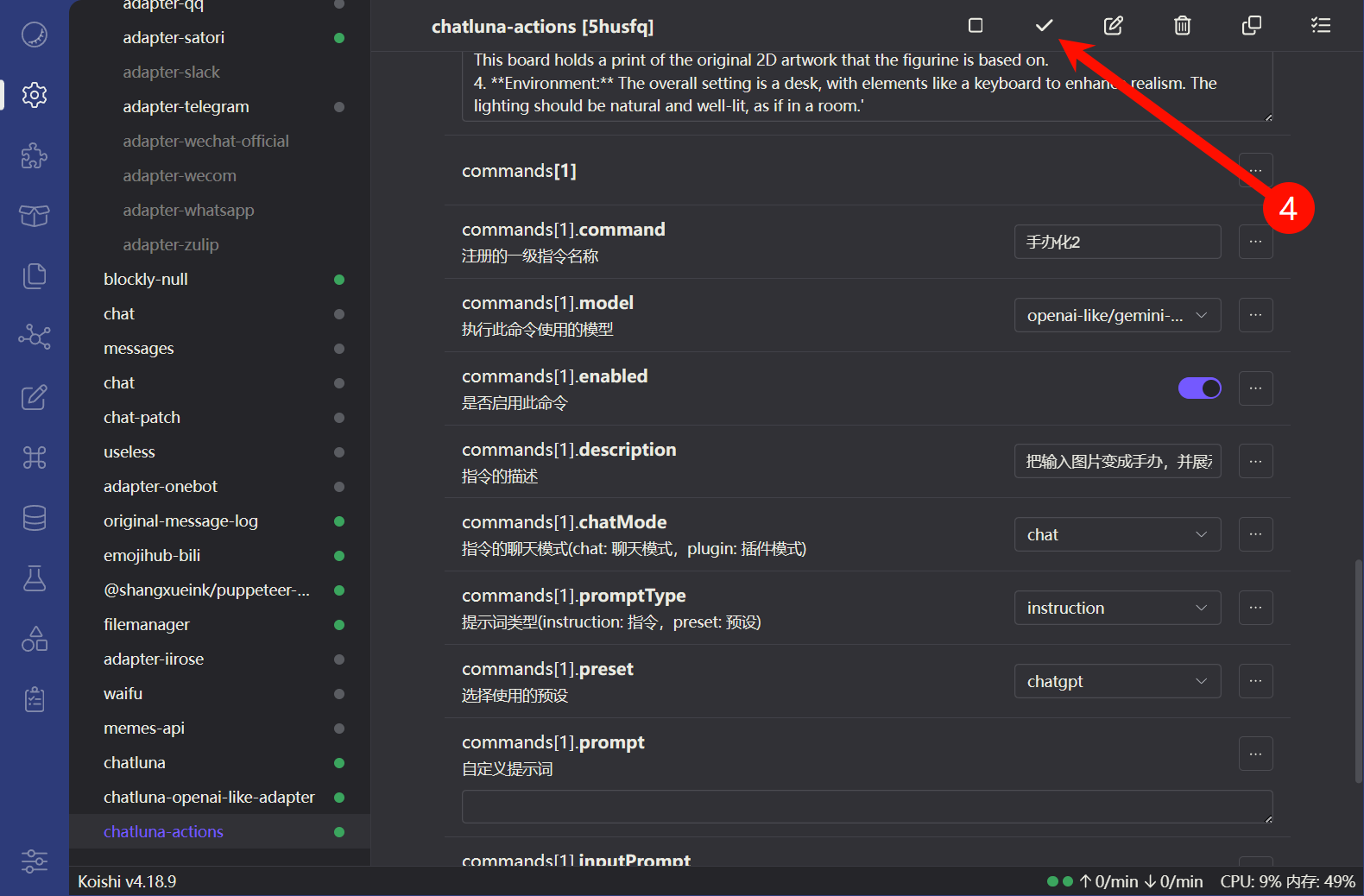
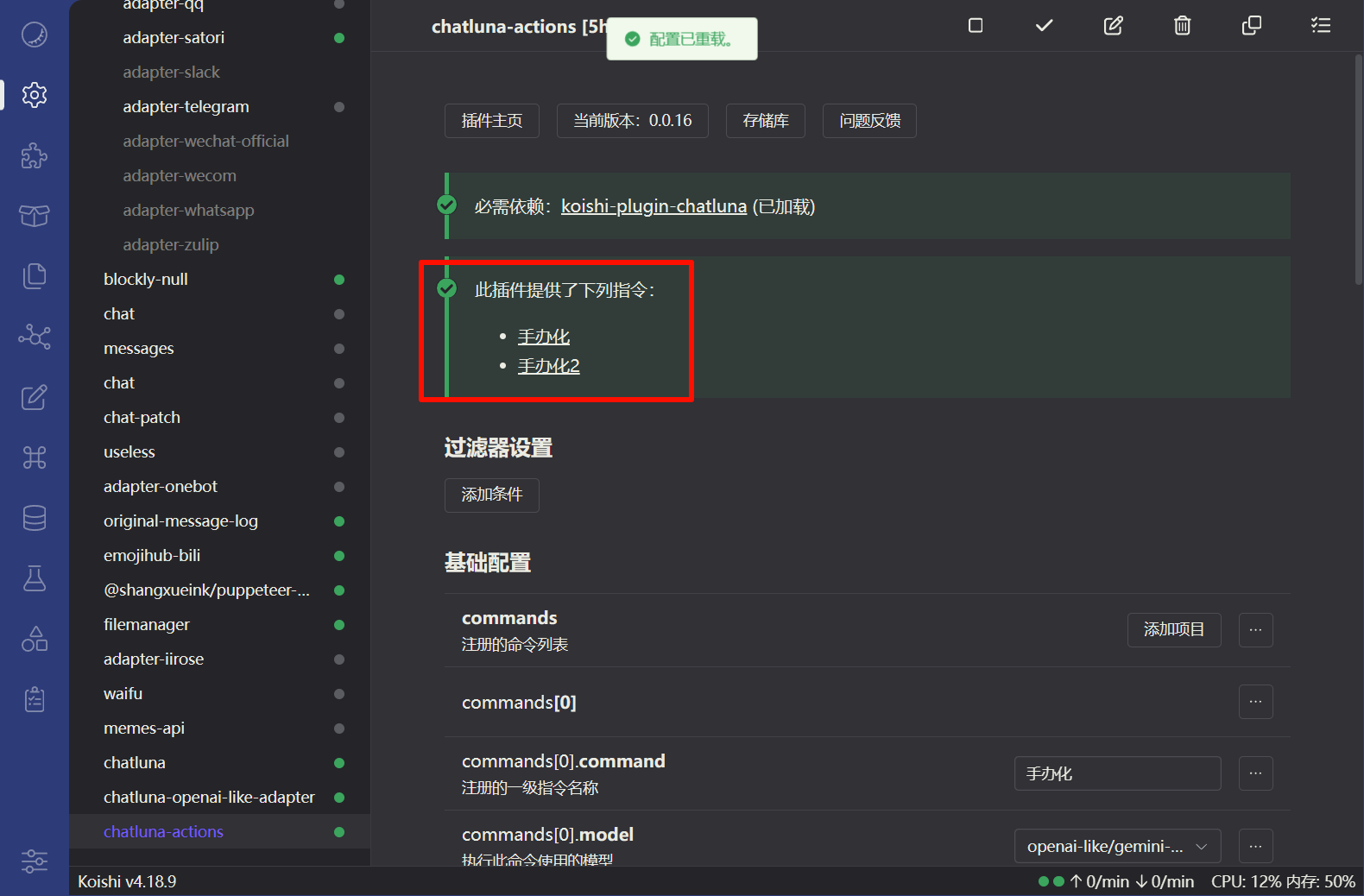
如何导入更多指令?
如何导入更多指令?————点我查看教程
下面是更多的指令配置分享
如果大家有很好玩的提示词,也欢迎分享!
{
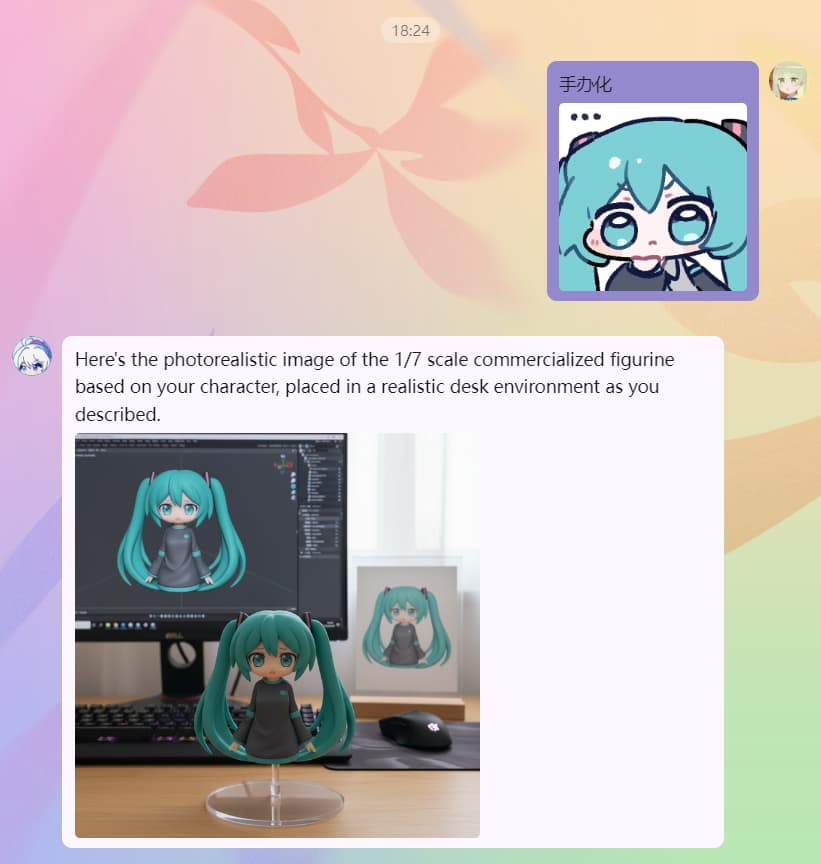
    "command": "手办化",
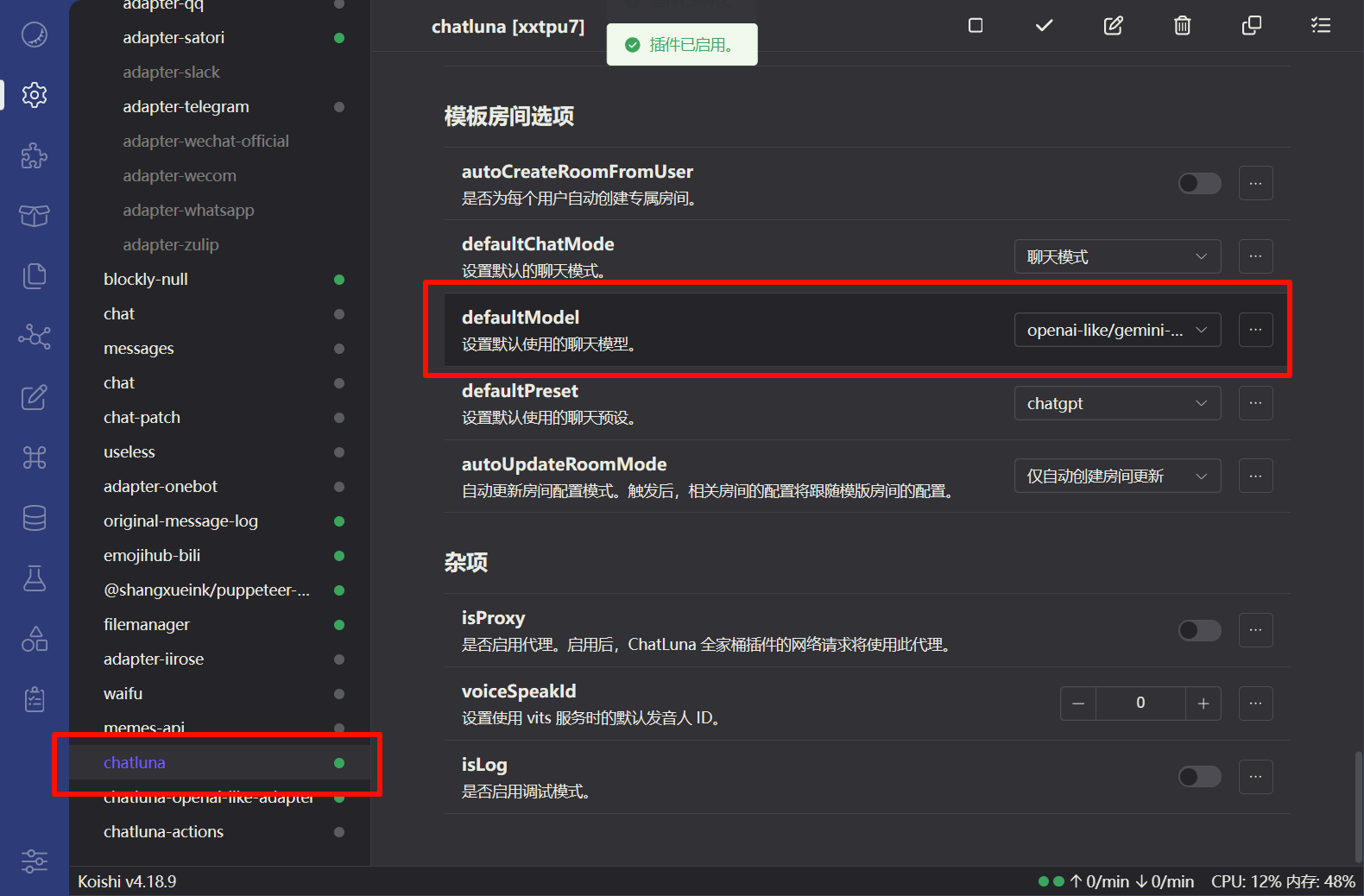
    "model": "openai-like/gemini-2.5-flash-image-preview",
    "description": "把输入图片变成手办",
    "preset": "chatgpt",
    "inputPrompt": "Your task is to create a photorealistic, masterpiece-quality image of a 1/7 scale commercialized figurine based on the user\\'s character. The final image must be in a realistic style and environment.\n\n**Crucial Instruction on Face & Likeness:** The figurine\\'s face is the most critical element. It must be a perfect, high-fidelity 3D translation of the character from the source image. The sculpt must be sharp, clean, and intricately detailed, accurately capturing the original artwork\\'s facial structure, eye style, expression, and hair. The final result must be immediately recognizable as the same character, elevated to a premium physical product standard. Do NOT generate a generic or abstract face.\n\n**Scene Composition (Strictly follow these details):**\n1. **Figurine & Base:** Place the figure on a computer desk. It must stand on a simple, circular, transparent acrylic base WITHOUT any text or markings.\n2. **Computer Monitor:** In the background, a computer monitor must display 3D modeling software (like ZBrush or Blender) with the digital sculpt of the very same figurine visible on the screen.\n3. **Artwork Display:** Next to the computer screen, include a transparent acrylic board with a wooden base. This board holds a print of the original 2D artwork that the figurine is based on.\n4. **Environment:** The overall setting is a desk, with elements like a keyboard to enhance realism. The lighting should be natural and well-lit, as if in a room.'"
}
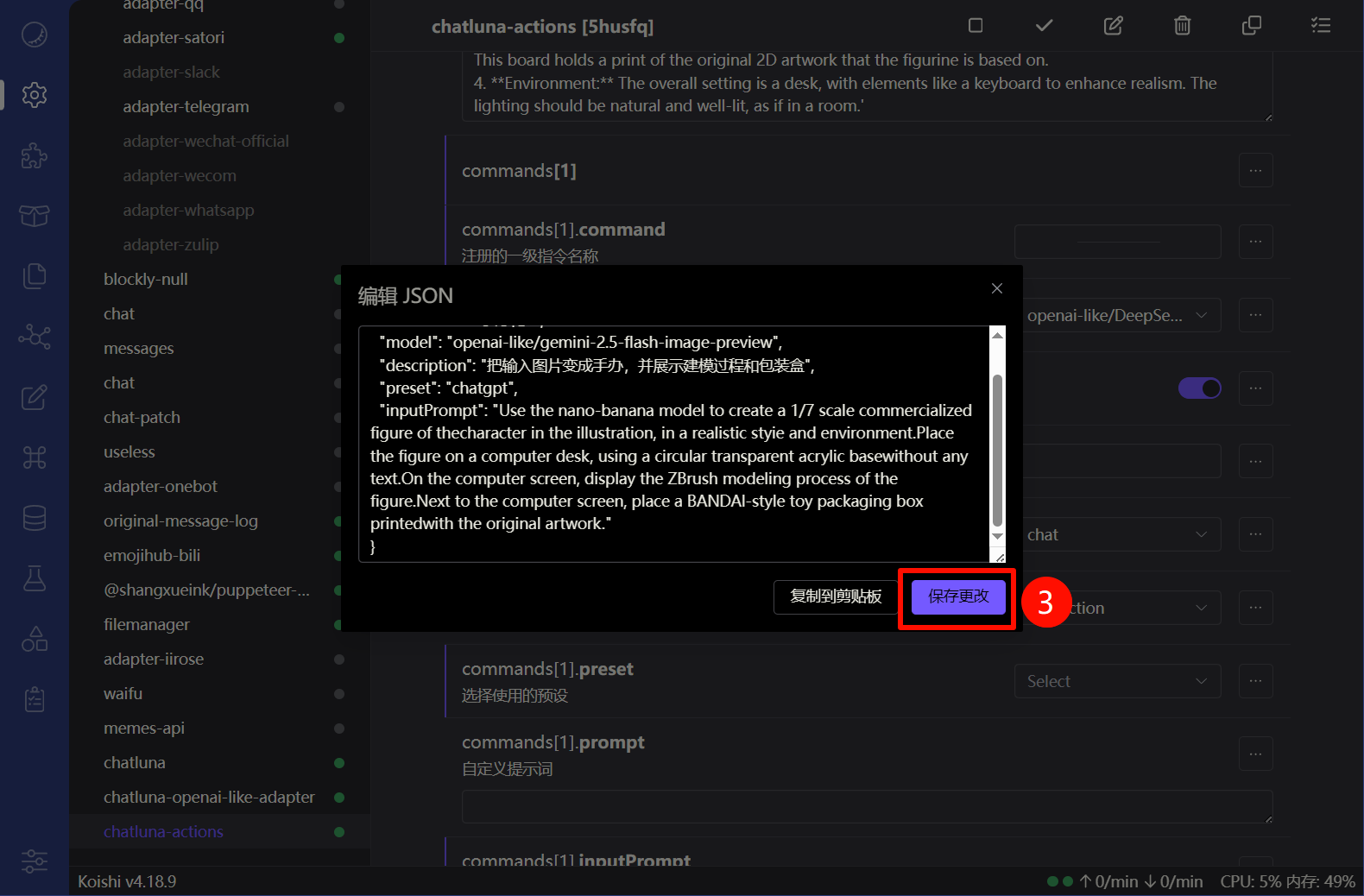
{
    "command": "手办化2",
    "model": "openai-like/gemini-2.5-flash-image-preview",
    "description": "把输入图片变成手办,并展示建模过程和包装盒",
    "preset": "chatgpt",
    "inputPrompt": "Use the nano-banana model to create a 1/7 scale commercialized figure of thecharacter in the illustration, in a realistic styie and environment.Place the figure on a computer desk, using a circular transparent acrylic basewithout any text.On the computer screen, display the ZBrush modeling process of the figure.Next to the computer screen, place a BANDAl-style toy packaging box printedwith the original artwork."
}
{
    "command": "手办化3",
    "model": "openai-like/gemini-2.5-flash-image-preview",
    "description": "把输入图片变成手办,并展示在商业包装中",
    "preset": "chatgpt",
    "inputPrompt": "Your primary mission is to accurately convert the subject from the user\\'s photo into a photorealistic, masterpiece quality, 1/7 scale PVC figurine, presented in its commercial packaging.\n\n**Crucial First Step: Analyze the image to identify the subject\\'s key attributes (e.g., human male, human female, animal, specific creature) and defining features (hair style, clothing, expression). The generated figurine must strictly adhere to these identified attributes.** This is a mandatory instruction to avoid generating a generic female figure.\n\n**Top Priority - Character Likeness:** The figurine\\'s face MUST maintain a strong likeness to the original character. Your task is to translate the 2D facial features into a 3D sculpt, preserving the identity, expression, and core characteristics. If the source is blurry, interpret the features to create a sharp, well-defined version that is clearly recognizable as the same character.\n\n**Scene Details:**\n1. **Figurine:** The figure version of the photo I gave you, with a clear representation of PVC material, placed on a round plastic base.\n2. **Packaging:** Behind the figure, there should be a partially transparent plastic and paper box, with the character from the photo printed on it.\n3. **Environment:** The entire scene should be in an indoor setting with good lighting."
}
{
    "command": "coser化",
    "model": "openai-like/gemini-2.5-flash-image-preview",
    "description": "把输入图片变成cosplay照片",
    "preset": "chatgpt",
    "inputPrompt": "Create a realistic cosplay photograph of the character in the image. The cosplayer should be wearing a high-quality costume that accurately replicates the character\\'s outfit. Include appropriate props and background setting that matches the character\\'s universe. Focus on accurate representation of costume details and realistic materials. Draw the picture for me with the background of a comic convention. East-asian face."
}
{
    "command": "mc化",
    "model": "openai-like/gemini-2.5-flash-image-preview",
    "description": "把输入图片变成Minecraft风格",
    "preset": "chatgpt",
    "inputPrompt": "Transform the image into a Minecraft-style character. Create a blocky, pixelated version of the character using Minecraft\\'s visual style. Include appropriate Minecraft environment and elements in the background. The generated entities must be Minecraft-style entities or blocks/structures."
}